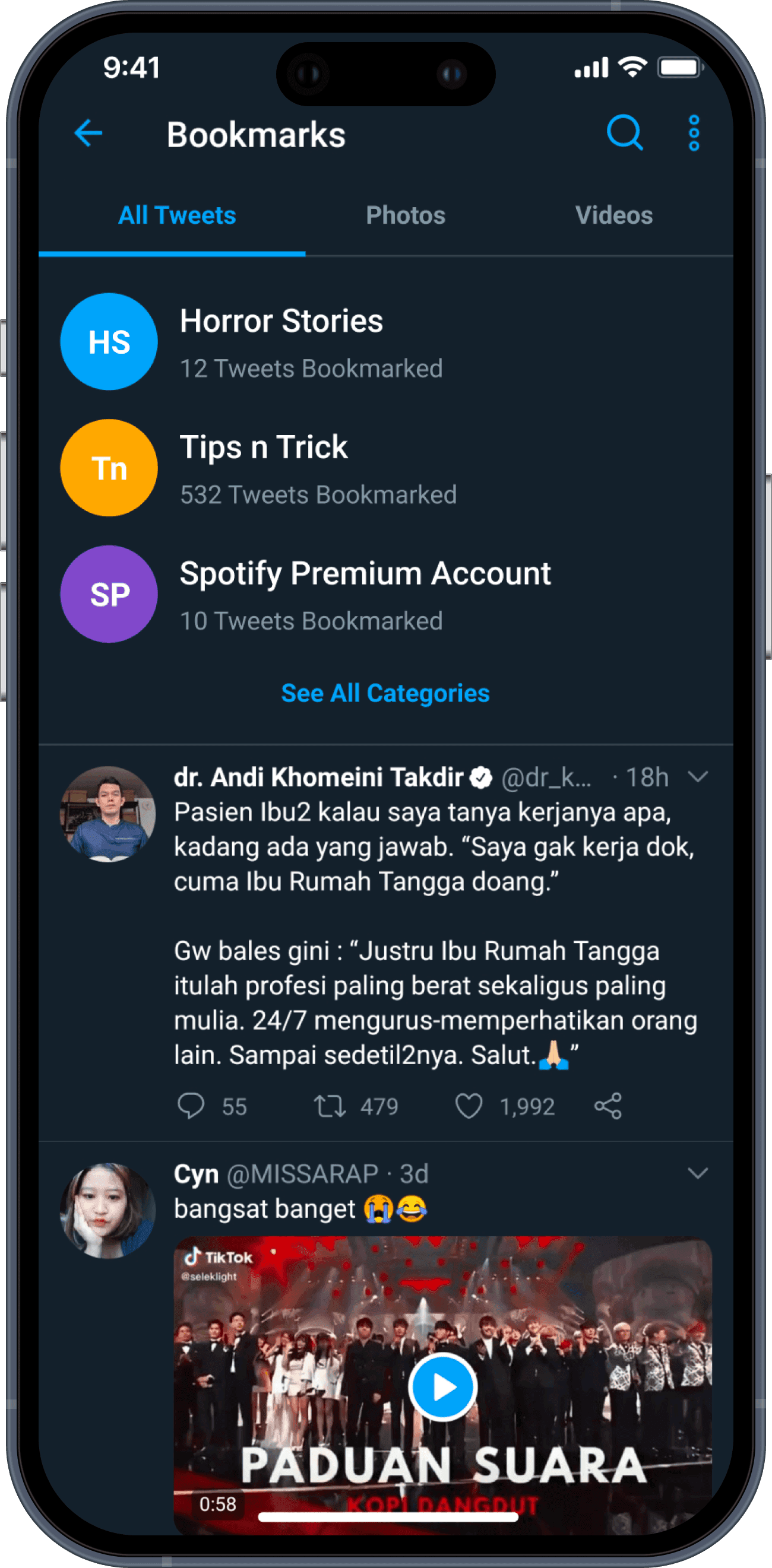
Better Twitter Bookmark

Better Twitter Bookmark

Designing Twitter Bookmarks, but better

Project Overview

Bookmarks gave Twitter users a private way to save tweets they liked and wanted to come back to. But everything you saved ended up in one long list, newest first, with no way to search it. So the more you bookmarked, the harder it got to find anything older.

This is a self-initiated case study: research, competitive analysis, a proposed flow and a high-fidelity prototype for a version of Bookmarks you can organise, search and filter.

Company
Personal project
Role
UX & UI Designer
Industry
Social media
Scope
User ResearchCompetitive AnalysisUX DesignUI DesignPrototyping
Team
Solo
Year
2020

TL;DR

Old bookmarks got buried under new ones, and the only way back to them was scrolling. I interviewed seven Twitter users, looked at how Instagram, Pinterest and Facebook handle saved posts, and redesigned Bookmarks around categories, search and media tabs. I also moved the button next to Like, where people were already "saving" tweets.

In unmoderated testing, every tester managed the bookmarking task, and half found their saved tweet on the direct path.

Twitter users interviewed
7
Completed the bookmarking task
100%
Found a saved tweet on the direct path
50%

Context

Saving tweets to read later

Twitter is a microblogging service for sending and receiving short posts called tweets (1). At the time it was rolling out Bookmarks globally, a new way to save tweets you like and might want to come back to. As a keen Twitter user, I used Bookmarks to save tweets and read them properly later, without having to like or retweet them. Bookmarks are private, too, so nobody else can see what you've saved.

And these days, more and more people on Twitter share things worth hanging on to: tips and tricks, motivational threads, memes, Netflix and Spotify Premium sellers, horror stories, embarrassing digital trails, and everything in between.