Zero Gravity Lessons

Zero Gravity Lessons

Lessons that open in 15 seconds, not 40

Project Overview

Lessons are the third most-visited feature in Zero Gravity's study app. A student picks a topic and an AI writes them a lesson on it: a few short sections to read, then a quiz.

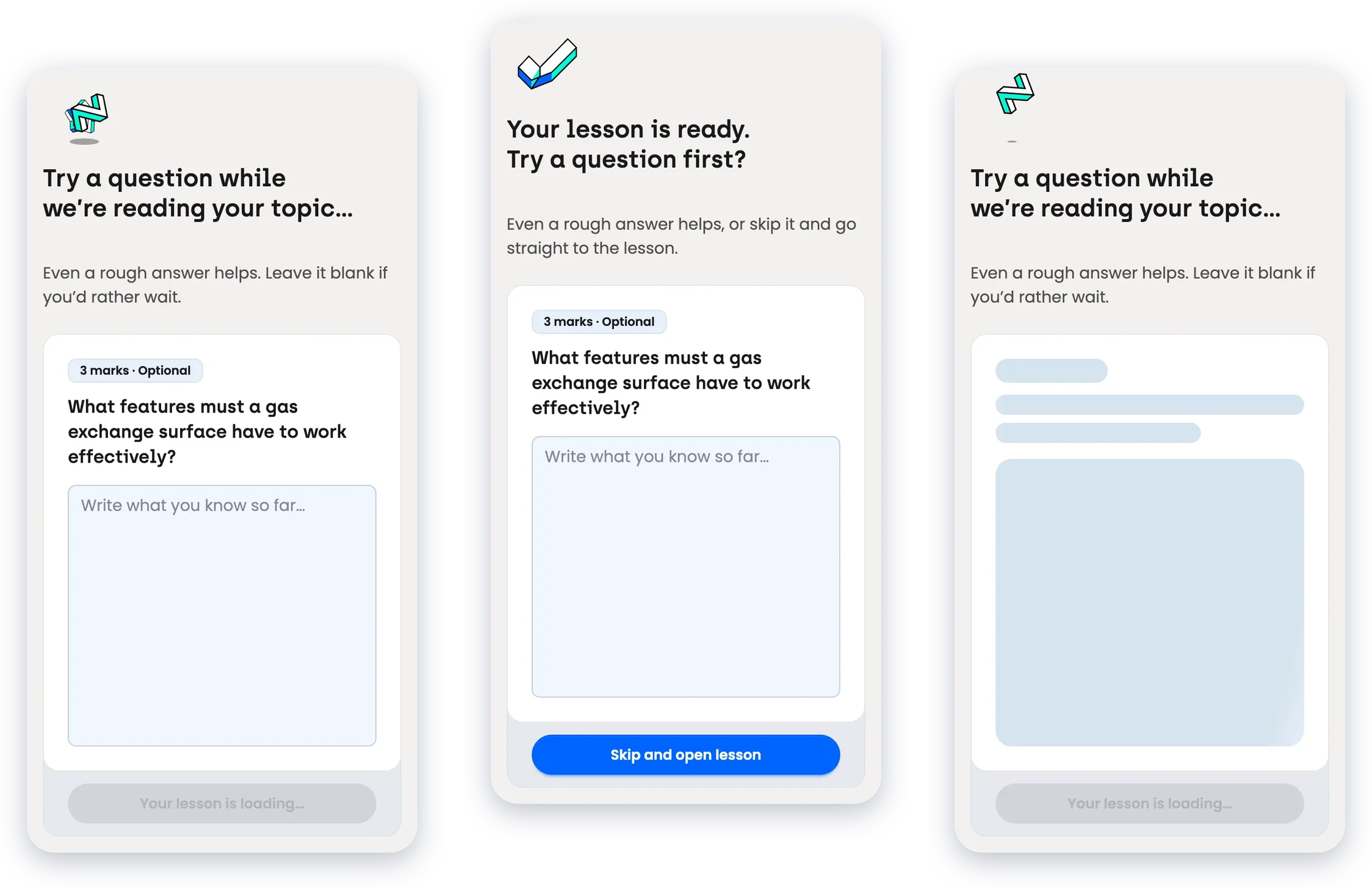
I took the first version, which was reading material and a quiz block behind a shimmering loading page, and reworked it: a better model, a warm-up question for the wait, check-ins that make sure each section lands, and pictures that are accurate and don't hold anyone up.

Company
Zero Gravity
Role
Sr. Product Designer
Industry
EdtechAI
Scope
Interaction DesignPrototypingModel EvaluationProduct Design
Year
2026

TL;DR

The first lesson was reading material and a quiz. Students watched a shimmer while it was written, and when it arrived nothing asked whether any of it had gone in. For one of the most-used features in the app, it was the least finished.

I moved lesson writing to Sonnet 5.5, which wrote faster, cost less and won every blind comparison. A lesson with no picture now opens in about 15 seconds, where it took about 40. A picture painted from scratch holds that to about 38; one that's already in the library, or was painted for another lesson, brings it back to about 21. I gave the wait a job, a short exam-style question marked again at the end, and added check-ins that make sure each section is read, and that also hide the pictures still painting behind them.

To open a lesson with no picture, down from ~40s
~15s
With a library picture, or one painted for another lesson
~21s
With a picture painted from scratch
~38s
Blind comparisons won by Sonnet 5.5
8 of 8

Starting point

A page of reading and a quiz

A student picks a topic and the app writes them a lesson: some reading, then a quiz. That was all it was. While the lesson was being written the page showed a shimmer, and on the model it ran on it took about 46 seconds to publish. Nothing on screen gave anyone a reason to stay, and once it arrived nothing asked whether any of it had gone in.

It's also the third most-visited feature in the app, so every rough edge was being felt by a lot of students. I worked through it in four steps.